← All posts · September 29, 2026 · 9 min read · by the Adshelf team
- Search the advertiser, not the keyword. A keyword search returns everyone who uses the word. Pick the brand’s Page from the suggestions.
- The default sort shows delivery, not profit. US results are ordered by impressions. Retargeting and always-on ads rise to the top whether they pay back or not.
- Run duration is the read that compounds. An ad on day 90 is one they kept choosing to fund. You only see the whole pattern if you keep a record of what stopped.
Step 1: Find the advertiser, not the keyword
The most common mistake is pressing enter on a keyword. When we ran a keyword search for "ag1" in the US library on 29 September 2026, it returned about 10,000 results, including a robot vacuum, a bourbon delivery ad and a skid-steer dealer. Type the brand name, wait for the suggestions, and choose the advertiser's Page. Now every result is theirs.
Two things to watch for. Big brands often run several Pages (regional, founder, sub-brand), so check the suggestions for more than one. Partnership ads run under the creator's name with the brand attached, shown as "Creator with Brand". They belong to the brand's strategy, and they are easy to miss if you only read the brand's own Page.
Step 2: Set country and status
Pick the market you actually compete in. A brand's US and UK libraries can look like two different companies. Then filter to Active to see what is live.
The Inactive filter is less useful than it sounds. For US commercial ads it surfaces some stopped ads with their date ranges (an exact-phrase search for one large supplement brand returned about 21 when we checked), but you cannot tell what is missing, so it is not a record you can rely on. That gap is why Step 5 exists.
Step 3: Know what the sort order is telling you
Since early 2026, US results are sorted by total impressions by default. You can see it in the page address after you search. Meta does not show the numbers, only the order, and the Sort by menu lets you change it.
Impressions show where delivery goes. They say nothing about profit. Retargeting ads shown to warm audiences, always-on brand ads and heavily discounted promos all rise to the top of an impressions sort. Use it to see where the budget is flowing, then use run duration to judge whether the money is working.
Step 4: Read the six signals
1. Run duration
The start date is the most valuable field on the card. Nobody keeps paying for a losing ad for months, so an ad past 30 days is being funded on purpose, and an ad past 90 is part of how the brand sells. Under 10 days, it is a test and tells you nothing yet. We explain why this works, and where it breaks, in ad longevity as a performance signal.
2. Versions and shared creatives
"This ad has multiple versions" means several variations run under one entry. "4 ads use this creative and text" means the same creative is live in four ads, usually because it is being spread across ad sets. A long-running creative that appears in several ads is the closest thing to a scaling tell the library offers.
3. Relaunches
Brands often relaunch a proven creative as a new ad, which gives it a fresh start date. The date resets and the idea does not. If a "new" ad looks familiar, it probably is, and its real age is the age of the first version.
4. Launch cadence
Count how many new ads a brand starts each week, and watch when it spikes. A brand launching 30 a week is testing hard; one launching three is leaning on proven creative. A sudden jump usually means a new product, a new offer or a season they are preparing for.
5. Fast kills
Ads that die inside 10 days are angles the brand paid to rule out. If a competitor killed a price-anchor angle in a week, that is a test you do not need to run. Fast kills are also the read the library makes hardest, because stopped ads mostly drop out of view.
6. What the survivors share
Line up everything past 30 days and look for the pattern in format, hook, offer and landing page. Adapt the pattern rather than any single ad.
Step 5: Keep a record, or the history disappears
The Ad Library is a view of today. When a competitor stops an ad, it mostly drops out of view, and the image and video links behind each ad carry expiry tokens, so saved links break too. If you want reads 3 to 5, you need your own record.
The manual version is a sheet with one row per ad: library ID, start date, last date you saw it running, format, angle and a note on the hook. Update it weekly. It works for two or three brands and gets painful past five.
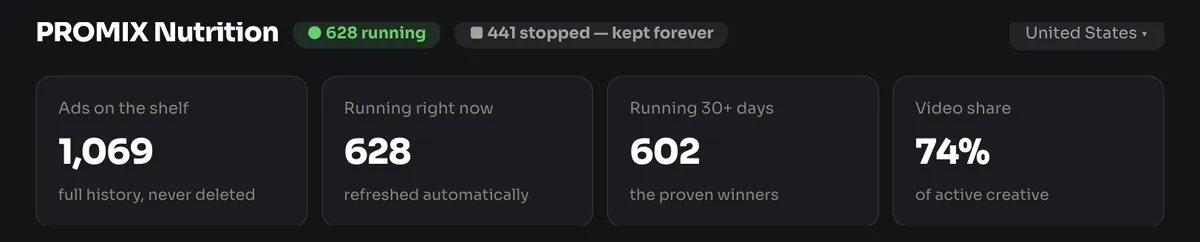
The automatic version is a tracker. Adshelf records every ad for each brand on its shelf, keeps them after they stop, and shows days running on every one. 3,560 stopped ads are on the shelf so far.
What you can and can't see
| Field | US commercial ad | Ad delivered in the EU |
|---|---|---|
| Creative, copy, CTA, landing page | ✓ | ✓ |
| Start date and active status | ✓ | ✓ |
| Platforms | ✓ | ✓ |
| Versions and shared-creative count | ✓ | ✓ |
| Impressions | ~ sort order only | ✓ reach figures |
| Targeting (age, gender, location) | ✕ | ✓ |
| Spend, ROAS, CTR, conversions | ✕ | ✕ |
| Kept after it stops | ~ patchy | ✓ one year, per Meta |
A 15-minute weekly routine
Once the record exists, the weekly work is three questions per brand: what did they launch, what crossed 30 days, and what did they kill? The new launches show the angles they believe in, the 30-day crossers are fresh winners to study, and the kills are tests you can skip. Our five-step competitor analysis framework turns that into a Monday meeting.
When to use a tool instead
Doing this by hand is fine for two or three competitors. Past that, the record-keeping eats the time you meant to spend thinking. Pick a tool by the job you need done:
- A dated record of what competitors run, keep and kill: Adshelf. Every brand on the shared shelf is free to read, with run durations on every ad.
- Swipe files and briefs for a creative team: Foreplay. See our honest Foreplay alternative comparison.
- Deep analytics on your own large ad account: Motion. See Adshelf vs. Motion.
The wider field is in our ad spy tools comparison.
Straight answers
Can I see how much a competitor spends on Facebook ads?
Can I see a competitor's targeting?
How long do Facebook ads stay in the Ad Library?
Can competitors see my Facebook ads?
Is it legal to look at competitors' ads?
What does "This ad has multiple versions" mean?
How often should I check competitors' ads?
Adshelf keeps every competitor ad, running or stopped, with how long each one ran. See it live or check the benchmarks.
Next: The 36-Day Shelf Life of a Meta Ad →